Lab note
Building ClipApply: AI Resume Tailoring and a Clip-to-Apply Kit

SFMC architect · technical writer · 10 min read
- AI
- Product Build
- Resume
- Next.js
- Cursor
- Side Project
Online job applications involve a lot of repetitive work that has little to do with whether someone is a good fit for a role.
For every posting you paste the job description somewhere, tweak your resume summary, reorder bullets, hunt for the right keywords, download a PDF, open LinkedIn or Greenhouse or Workday, and then retype your name, email, phone, skills, and the same three open-ended answers you wrote last week. Multiply that by twenty applications and you are spending hours on copy-paste work.
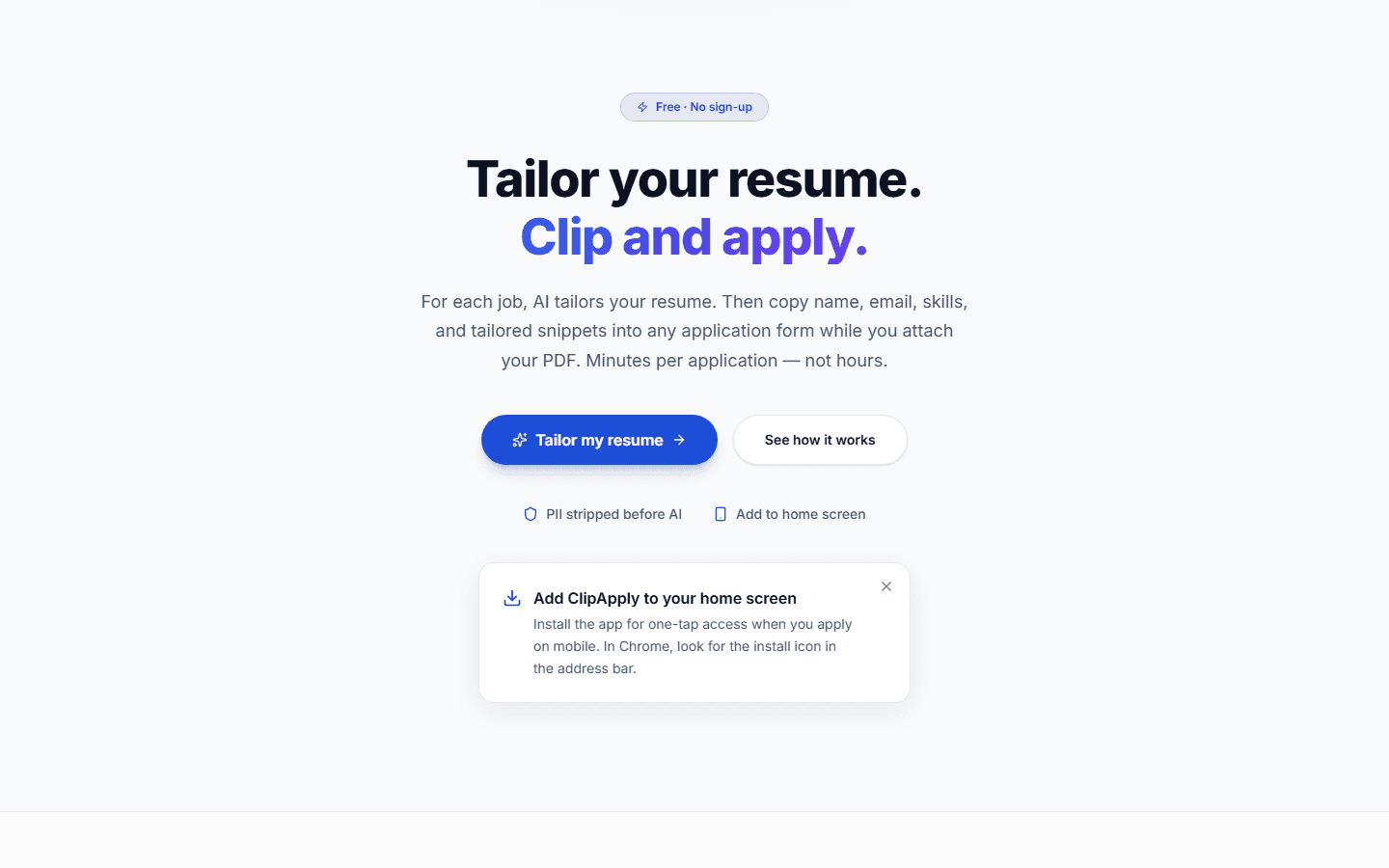
I built ClipApply as a side project to shorten that loop. It is a free web app — no sign-up, no browser extension — that AI-tailors a resume for a specific role and gives you a clip-to-copy apply kit so you can move through application forms in minutes instead of half an hour.
This post is the full walkthrough: what problem it targets, what is in the app, how to use it properly, and how I built it with Cursor.
The problem it targets
Most resume tools stop at the PDF.
That is useful, but it is only half the job. After you tailor a resume, you still have to:
- Fill out contact fields you have typed a hundred times
- Paste skills and summaries into text boxes with character limits
- Write slightly different answers to "Why do you want this role?" for every company
- Draft a cover letter, a recruiter email, and a LinkedIn connection note
- Guess at salary range and prep for behavioral questions
The goal was one place that handled the whole apply session — tailored resume, outreach drafts, interview prep, and one-tap copy for every form field — without storing personal data on someone else's servers or handing control of the submit button to a bot.
ClipApply is that tool. It is live at clipapply.com.
What ClipApply is (and what it is not)
ClipApply is an AI-powered resume tailoring and clip-to-apply web app. The tagline on the site says it plainly: Tailor your resume. Clip every field. Apply in minutes.
It is not:
- A job tracker or application CRM
- An auto-submit bot that fills forms for you
- A service that stores your resume in the cloud
Browsers block third-party sites from submitting applications on your behalf — and honestly, I think that is the right call. ClipApply works with that constraint: it prepares everything you need, shows you every AI change before it applies, and lets you copy each field into the form yourself.
That keeps you in control, keeps the tool honest, and keeps it compatible with LinkedIn, Indeed, Greenhouse, Workday, and every other platform out there.
How to use ClipApply properly
The workflow is deliberately simple. If you follow these steps in order, you get the most out of each session.
Step 1 — Upload your resume once
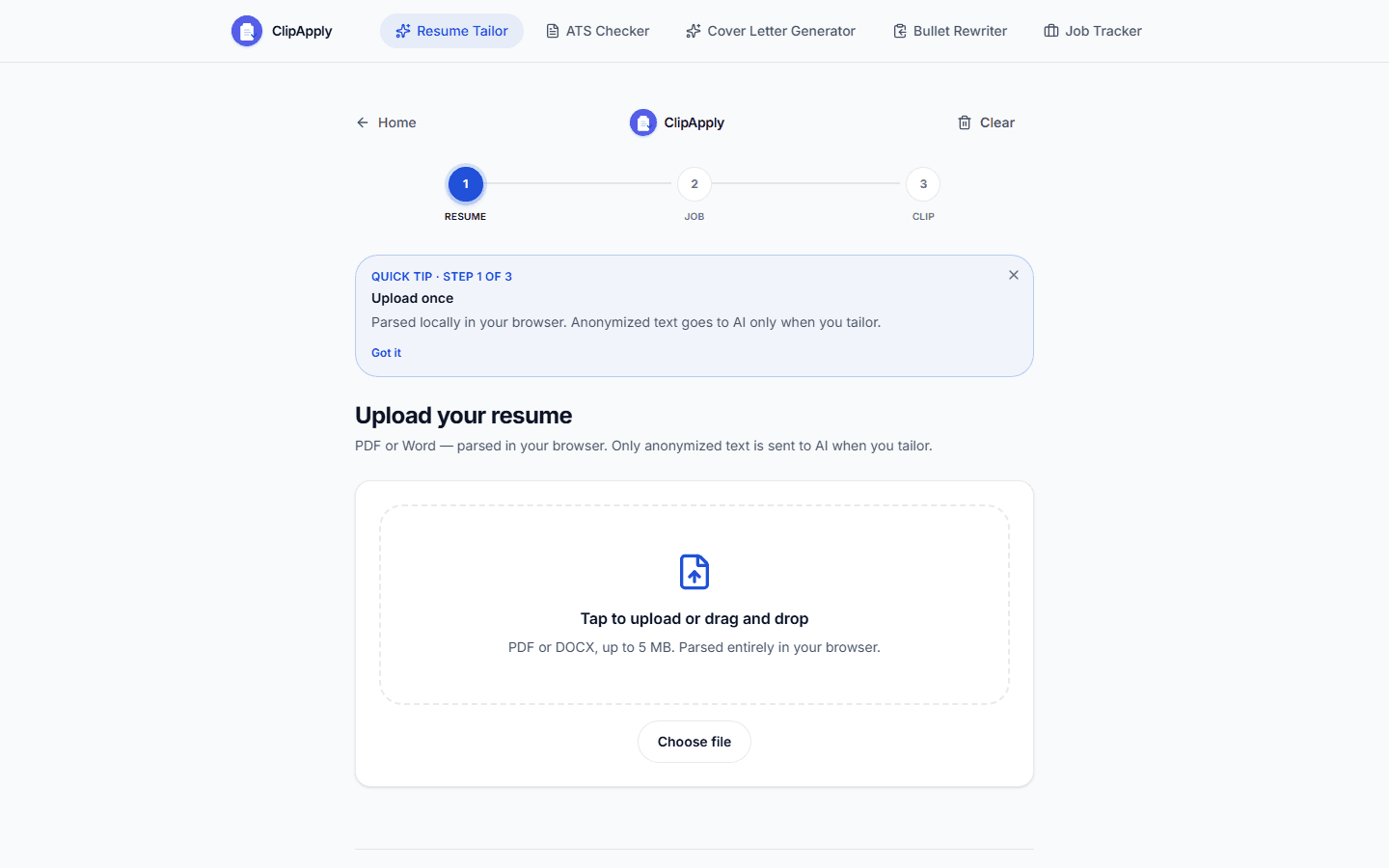
Go to clipapply.com/tailor and upload a PDF or Word (.docx) resume.
Parsing happens in your browser — not on my servers. Your file is read locally, structured into sections (contact, summary, experience, skills), and saved to localStorage on your device. Upload once; ClipApply remembers it until you clear your data or use a different browser.
If your file is hard to parse — unusual layout, heavy graphics — there is an optional smart AI parse that sends an anonymized version to the API. You see a preview of what gets sent before you consent.
Review and edit your contact details after upload. Getting name, email, phone, and LinkedIn right here saves time in every apply kit later.
Step 2 — Paste the full job description
Paste the entire job posting — title, requirements, responsibilities, nice-to-haves. The more complete the description, the better the tailoring and keyword matching.
Optional fields for company name, location, and job URL help with outreach drafts and context, but the description text is what drives the AI.
Step 3 — Consent and tailor with AI
Before any AI call runs, ClipApply shows a consent modal with a preview of your anonymized resume. Personally identifiable information — name, email, phone, address, LinkedIn URL — is stripped before anything reaches OpenAI.
The AI rewrites your summary, reorders and reframes experience bullets, and adjusts skills emphasis for that specific role. It does not invent experience you do not have. If a keyword is missing from your background, the match report tells you honestly.
If you prefer not to use AI, there is a "Use original without AI" path that runs local keyword-based tailoring — reordering and emphasis only, no generative rewrite.
Step 4 — Review every change in the diff view
This is the step I care most about. Nothing from the AI is applied silently.
ClipApply shows a color-coded diff of every proposed change. You can accept or reject each edit individually, or accept/reject all at once. Your resume only updates with what you approve.
That human-in-the-loop design is intentional. You should never send a tailored resume you have not read.
Step 5 — Download your ATS-ready resume
Export a PDF or editable Word (.doc) with a clean single-column layout and standard fonts (Helvetica, Times, or Courier). You can adjust spacing — compact, normal, or loose — before download.
These exports are built for Applicant Tracking Systems: no columns, no graphics-heavy layouts, no fancy formatting that parsers choke on.
Step 6 — Open the job application and clip each field
This is where ClipApply differs from most resume tools.
Open the actual application form — on whatever site the employer uses — and use the clip-to-copy apply kit:
| Field type | What ClipApply gives you |
|---|---|
| Contact info | One-tap copy for name, email, phone, location, LinkedIn, website |
| Professional | Job title, skills list |
| Open-ended questions | Up to 3 AI-generated paste snippets tailored to the role |
| Attachments | Your downloaded PDF |
Tap Copy on each row, paste into the matching form field, attach your PDF, and submit when you are ready.
Step 7 — Use the rest of the apply kit (optional but worth it)
Each tailoring session also generates:
- A cover letter draft matched to the job
- A recruiter cold email
- A LinkedIn connection note (under 300 characters)
- A salary range estimate and negotiation script
- Up to 3 behavioral interview questions with STAR-format answers drawn from your real resume facts
- A keyword match report — score before and after tailoring, matched vs missing keywords, content preserved percentage
Copy what you need. Skip what you do not. When you are done, hit Tailor for another job and repeat from Step 2 — your resume stays saved.
Features in more detail
Clip-to-apply kit
The core idea behind ClipApply is in the name: clip each field, apply faster.
Instead of alt-tabbing between your resume, a notes app, and the application form, everything you need for one job lives on one screen. One tap per field. Paste. Move on.
The paste snippets for open-ended questions are especially useful on platforms that ask variations of "Why this company?", "Describe a challenge you overcame", or "What makes you a fit for this role?" — without you rewriting from scratch every time.
Diff review and match report
Before you download anything, the match report shows:
- Keyword match score before and after tailoring
- Which job keywords now appear in your resume
- Which keywords are still missing (so you can decide whether to address them manually)
- How much of your original content was preserved
Combined with the diff view, you always know what changed and why.
Outreach drafts
Job applications are not just the form. ClipApply bundles outreach so you can follow up in the same session:
- Cover letter tailored to the posting
- Recruiter email you can personalize and send
- LinkedIn connection request note within platform limits
These are starting points — read them, edit them, make them yours.
Salary and interview prep
For each job, ClipApply estimates a compensation range based on the role and location context, plus a copyable negotiation script.
The interview prep section generates up to three behavioral questions with STAR-format answers built only from facts in your resume — not invented stories. Useful for a quick refresh before a phone screen.
Mobile workflow: PWA and LinkedIn share
ClipApply is a Progressive Web App. Add it to your home screen on iOS or Android and it runs in standalone mode like a native app.
On mobile, you can share a job from LinkedIn directly to ClipApply using the Web Share Target API. If your resume is already saved and the shared content includes a full description, tailoring can start automatically. If the share only includes a link, paste the full description when prompted.
That flow supports mobile-first apply sessions: share a role from LinkedIn to ClipApply, tailor on the go, then paste fields at a desk—or clip directly on mobile.
Privacy by design
I took privacy seriously because resumes are sensitive documents.
| What happens | Where |
|---|---|
| Resume upload and parsing | In your browser |
| Resume storage | localStorage on your device only |
| AI tailoring | Anonymized resume + job description sent to OpenAI |
| Server-side storage of your resume | None |
| Account required | No |
You can Clear my data at any time from the app. API routes are rate-limited (Upstash Redis) and protected with Cloudflare Turnstile to reduce abuse.
How I built it
I built ClipApply with Cursor — the same AI-assisted editor I used for DataViews.pro. The stack:
| Layer | Technology |
|---|---|
| Framework | Next.js 16 (App Router), React 19, TypeScript |
| Styling | Tailwind CSS 4 |
| AI | OpenAI GPT-4o-mini |
| PDF parsing | unpdf (client-side) |
| Word parsing | mammoth (client-side) |
| PDF export | @react-pdf/renderer |
| Word export | Custom generator |
| Rate limiting | Upstash Redis |
| Bot protection | Cloudflare Turnstile |
| Hosting | Vercel |
The architecture follows the privacy model: parse locally, store locally, anonymize before AI, never persist resumes server-side. Three API routes handle tailoring, smart parsing, and server-side PDF generation.
It was not a single weekend project. Cursor made it practical to iterate in layers — resume parsing, anonymization pipeline, diff review UI, apply kit, PWA manifest, share target, export formats — without losing track of the core loop.
Who ClipApply is for
ClipApply is built for people who apply to a lot of jobs — new grads casting a wide net, career changers targeting multiple role types, contractors between contracts, anyone who is tired of the same thirty minutes of form-filling per application.
It works best if you:
- Have a solid base resume already (ClipApply tailors; it does not write a career from scratch)
- Apply across different platforms (LinkedIn, Indeed, company career pages)
- Want AI help but refuse to blindly trust it (the diff review is there for you)
- Care about privacy and do not want another account storing your personal documents
It is free. No sign-up. No credit card. No freemium gate on the features that matter.
Tips for getting the most out of it
A few things that came up while building and testing the product:
- Paste the full job description, not just the title. The AI needs requirements and responsibilities to tailor well.
- Review the diff every time. Even good AI output benefits from a human pass — especially for senior roles where tone matters.
- Keep your base resume updated. ClipApply works from what you upload; garbage in, garbage out still applies.
- Use the match report to decide if you want to manually add a missing keyword — do not let the AI invent experience to close a gap.
- Add to home screen on mobile if you discover roles on your phone. The share-from-LinkedIn flow saves a lot of friction.
- Download Word if you want to tweak formatting after accepting changes; PDF when you are ready to submit as-is.
Try it
Live app: https://clipapply.com/
Start tailoring: https://clipapply.com/tailor
If ClipApply saves you time on your next application — or if something feels off — I would genuinely like to hear about it. You can reach me on LinkedIn or through ujjwaltiwari.com.
This post is the long-form version of what the app does. For the short version, the landing page at clipapply.com has the three-step overview and feature grid. If you are evaluating whether the clip-to-apply workflow fits your use case, everything you need to know is here.
Editorial note: This article was drafted with AI assistance and reviewed for accuracy against the live product. ClipApply is an independent side project — not affiliated with any job board or ATS vendor.
Stay updated
Get new posts by email
SFMC how-tos, build stories, and architecture notes—delivered when they publish. RSS works too, but most people prefer email.
One email when a post goes live. Unsubscribe anytime.